
Stickman: draw animation maker
Appache apps and games ltd
Installs
10M+
Developer
Appache apps and games ltd
-
Category
Art & Design
-
Content Rating
Rated for 3+
Developer Email
Privacy Policy
https://appache.games/policy
Screenshots
Expert Review
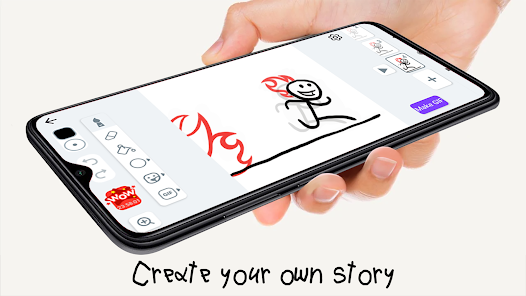
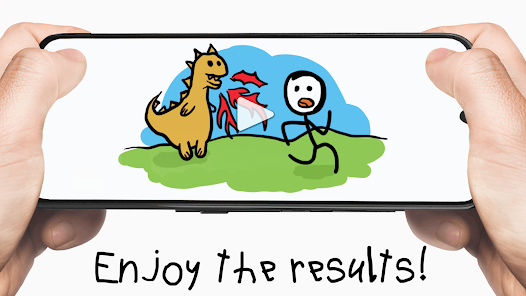
Stickman: draw animation maker is a fun and creative app that lets you make simple stick figure animations right on your phone. It's basically a mini animation studio in your pocket. You can draw your own stickman characters frame by frame and bring them to life with movement. The app first launched a few years back and you can easily find it on the Google Play Store. It's racked up millions of downloads, which shows how popular this little creative tool has become. The best part? You can download and install the app for free. You don't even need to register an account to start doodling and animating right away. While the core app is free, there are some in-app purchases available if you want to unlock extra features or remove ads. Yes, you will see some ads while using the free version, but they're usually not too intrusive.
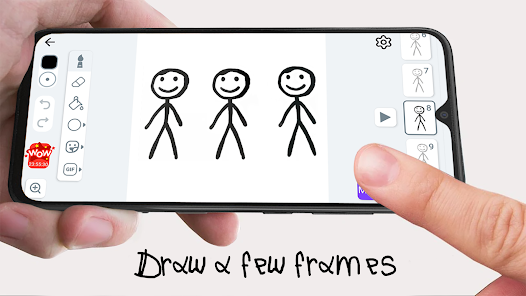
Using the app is pretty straightforward. You start with a blank canvas, draw your stick figure for the first frame, then copy it to the next frame and make a small change to create movement. It's like a digital flipbook. A good tip is to keep your movements small between frames for smoother animation. The onion skinning feature (which lets you see a faint outline of the previous frame) is a lifesaver for getting the timing right. I often spend my commute just sketching out little fight scenes or funny walks.
When I was looking for an animation app, I also tried others like FlipaClip and PicsArt Animator. FlipaClip is more powerful but can feel overwhelming for just making quick, silly stickman videos. PicsArt Animator is great for editing but isn't as focused on the frame-by-frame drawing. I chose Stickman: draw animation maker because it does one thing really well: simple, hand-drawn stick figure animations. It's not trying to be a professional tool, and that's its charm. For anyone who wants to dip their toes into animation without a steep learning curve, this app is a perfect starting point. It reminds me of the doodles I used to make in the corners of my school notebooks, but now they can actually move.
Key Functional Highlights
- 🎨 Intuitive Frame-by-Frame Editor: The core of the app is its simple drawing timeline. Compared to something like FlipaClip, which has layers and more complex tools, Stickman's interface is stripped down to the essentials. You just draw, add a frame, and draw again. This makes the process of creating an animation feel immediate and accessible, especially for beginners.
- 🔄 Onion Skinning for Smooth Motion: This feature is crucial for any animation app. It shows a transparent ghost of your previous and next frames, so you can position your stickman's limbs correctly for fluid movement. It's implemented really well here and is much simpler to toggle on/off than in some other free apps I've tried.
- 📤 Easy Sharing to Social Platforms: Once your masterpiece is complete, exporting and sharing is a breeze. You can save the video directly to your phone or share it straight to platforms like YouTube, Instagram, or TikTok with just a couple of taps. Some similar apps make you jump through more hoops to get your animation out of the app.
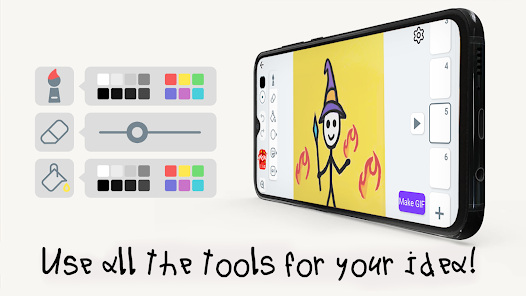
- ✏️ Basic but Effective Drawing Tools: You get a brush, an eraser, a fill tool, and a few colors. That's it. While an app like PicsArt Animator offers more artistic brushes, the simplicity here forces you to focus on the animation itself—the movement and timing—rather than getting lost in fancy art styles. It keeps the 'stickman' aesthetic pure.
Advantages & Benefits
- ✅ Zero Barrier to Entry: You can download, install, and start animating within minutes. No account needed. This beats apps that require sign-ups before you can even try a basic feature.
- ✅ Perfect for the Concept: It excels at its specific genre: stick figure animations. Apps like KineMaster are for video editing, and others like Draw Cartoons are for more detailed cartoons. This app owns its niche.
- ✅ Lightweight and Fast: The app doesn't take up much space and runs smoothly on most devices. Some heavier animation apps can lag or crash, but this one is pretty reliable for quick projects.
Areas for Improvement
- ⚠️ Limited by Design: The simplicity is a strength but also a weakness. If you want to create animations with backgrounds, sound effects, or text overlays, you'll quickly hit the app's limits. An app like FlipaClip is better for those more complex projects.
- ⚠️ Ad Interruptions: The free version has ads that can pop up between actions. It's understandable for a free app, but it can break your creative flow. Other free apps might have less frequent ad placements.
- ⚠️ Basic Color Palette: The selection of colors is quite limited unless you make in-app purchases. Compared to some other drawing-focused apps, the free color options feel a bit sparse for creating varied scenes.
Recommended Apps
![]()
ZEPETO: Avatar, Connect & Play
Naver Z Corporation4.3
![]()
Reverse Voice: Flip Singing
NindaFuit0![]()
AI Chat Ask Assistant - NowAI
Now Tech4.3![]()
Lie Detector Test: Prank App
DkTech inc.4.3![]()
Peachy - AI Face & Body Editor
InShot Video Editor4.8
![]()
AI Video Art Creator - Livensa
FERASET4.5![]()
Google Voice
Google LLC4.3![]()
Horoscopes & Tarot
Astrolis Horoscopes4.7![]()
eBay online shopping & selling
eBay Mobile4.6![]()
JPay
Jpay Mobile4.1![]()
Stranger Things 5 Challenges
MVH Entertainment Team5![]()
Chat Master: Prank Story
ABI Game Studio4.8![]()
Google Maps
Google LLC4.2![]()
AI Chat・Ask Chatbot Assistant
AI Chat Studio4.5![]()
Name Meanings with Impact
Alif Innovative Solution3.7















You May Like
-
![]()
True Tarot Card Reading
KaApps4.2 -
![]()
LinkedIn: Jobs & Business News
LinkedIn4.2 -
![]()
iControl: Easy Widgets Themes
Fancy keyboard for theme apps4.6 -
![]()
Duolingo: Language & Chess
Duolingo4.7 -
![]()
Flipped:Chat with AI Character
First Group pte ltd4.1 -
![]()
Hearing Age
Mobile Solutions Tech0 -
![]()
TikTok
TikTok Pte. Ltd.4.4 -
![]()
Pretty Makeup - Beauty Camera
Photo Editor Perfect Corp.4.4 -
![]()
PhotoRoom AI Photo Editor
PhotoRoom Background Editor App4.7 -
![]()
Lightleap by Lightricks
Lightricks Ltd.4.3 -
![]()
Name Meaning
Dexati4.1 -
![]()
Truth Social
T Media Tech LLC3.3 -
![]()
Ace Hardware
Ace Hardware Corporation4.7 -
![]()
Kpop Fans Demon Hunter Wallpap
JHNStudio4.3 -
![]()
Artplay - AI Photo & Video
Hideaway Technology Limited4.5










































