

Find My Phone By Clap, Whistle
Neko Soft
Installs
5M+
Developer
Neko Soft
-
Category
Productivity
-
Content Rating
Rated for 3+
Developer Email
Privacy Policy
https://sites.google.com/view/nksoftpolicy/home
Screenshots

Expert Review
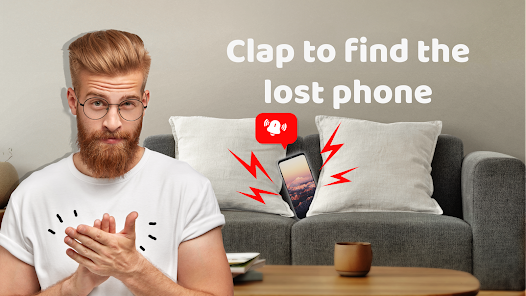
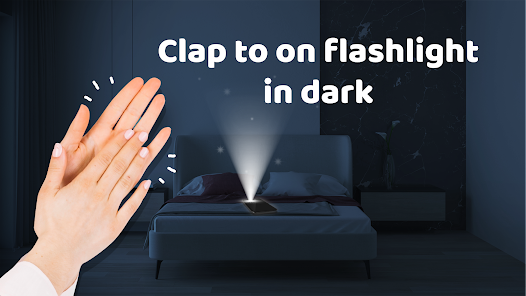
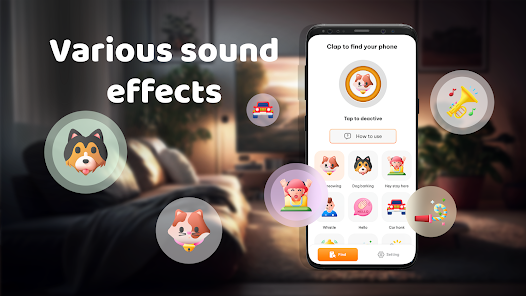
I've been using the 'Find My Phone By Clap, Whistle' app for a while now, and it's honestly a lifesaver for someone as forgetful as me. The name pretty much says it all – it's a utility app designed to help you locate your misplaced phone by making a loud sound when you clap or whistle. I first downloaded it from the Google Play Store a couple of years ago. The app has a solid number of installs, which gave me some confidence before I hit the download button. It's completely free to get from the store, and you don't even need to register an account to start using it, which is a huge plus for privacy and convenience. There are some ads in the app, but they're not too intrusive, and I haven't felt the need to make any in-app purchases to remove them.
Using the app is super straightforward. After you install it, you just open it and toggle the main switch to 'on'. Then, you can walk away and forget about it. The real magic happens when you can't find your phone. Instead of frantically searching, I just clap my hands loudly twice or let out a sharp whistle. My phone immediately starts ringing at full volume with a distinct alarm sound, even if it's on silent or vibrate mode. A little tip I've learned is to test the sensitivity in a quiet room first to make sure it picks up your signal reliably. Also, keeping the app running in the background is key for it to work when you need it most.
There are other similar 'find my phone' apps out there, like 'Find My Device' from Google or various clapper-controlled tools. I tried a few, but I keep coming back to this one. The main reason is its sheer simplicity and reliability. Some apps require you to call your phone from another number or set up complex accounts. This app from Neko Soft just works with a simple sound trigger. It feels more direct and faster in a moment of panic. For a quick, no-fuss solution to a very common problem, this app has become my go-to choice over the more feature-heavy alternatives.
Key Functional Highlights
- 🔊 Sound-Triggered Finding: The core feature is brilliantly simple. A loud clap or whistle triggers a loud alarm on your phone, overriding silent mode. It's much faster than logging into a web service to ring your phone.
- 🛠️ Zero Configuration Needed: Unlike Google's 'Find My Device', which needs location and account permissions, this app works immediately after install. No registration, no linking accounts – just toggle it on and forget it.
- ⚙️ Customizable Sensitivity: You can adjust how sensitive the microphone is to your claps or whistles. This is great for making it work in slightly noisy environments or ensuring it doesn't go off accidentally.
- 📱 Lightweight & Background Friendly: The app is very small and runs efficiently in the background without draining my battery, which is a common issue with some other utility apps I've tried.
Advantages & Benefits
- 🎯 Instant Activation: Compared to other finder apps that need an internet connection or a second device, this works offline with just a sound. It's unbeatable for speed within your home.
- 🔕 Silent Mode Override: Many apps, including platform solutions, fail if the phone is on silent. This app's alarm always sounds at max volume, a critical advantage.
- 🙅 No Account Hassle: Apps like 'Find My Device' or 'Cerberus' require accounts. This app's complete anonymity and lack of login is a major strength for privacy-conscious users.
Areas for Improvement
- 🏠 Limited Range: It only works within earshot. For a phone lost outside the house, services like Google's or Apple's 'Find My' with GPS tracking are far superior.
- 🔊 Environment Dependent: In a very noisy place or if your phone is buried deep in a couch, the sound might not trigger it reliably, unlike a remote ring command.
- 📺 Ad-Supported: The free version shows ads. Some competing utilities are completely ad-free or offer a one-time purchase to remove them, which this app lacks.
- 📱 Android-Only: As a Google Play app, it's not available on iOS. iPhone users have to rely on other methods or different apps altogether.
Recommended Apps
![]()
ZEPETO: Avatar, Connect & Play
Naver Z Corporation4.3
![]()
Reverse Voice: Flip Singing
NindaFuit0![]()
AI Chat Ask Assistant - NowAI
Now Tech4.3![]()
Lie Detector Test: Prank App
DkTech inc.4.3![]()
Peachy - AI Face & Body Editor
InShot Video Editor4.8
![]()
AI Video Art Creator - Livensa
FERASET4.5![]()
Google Voice
Google LLC4.3![]()
Horoscopes & Tarot
Astrolis Horoscopes4.7![]()
eBay online shopping & selling
eBay Mobile4.6![]()
JPay
Jpay Mobile4.1![]()
Stranger Things 5 Challenges
MVH Entertainment Team5![]()
Chat Master: Prank Story
ABI Game Studio4.8![]()
Google Maps
Google LLC4.2![]()
AI Chat・Ask Chatbot Assistant
AI Chat Studio4.5![]()
Name Meanings with Impact
Alif Innovative Solution3.7















You May Like
-
![]()
True Tarot Card Reading
KaApps4.2 -
![]()
LinkedIn: Jobs & Business News
LinkedIn4.2 -
![]()
iControl: Easy Widgets Themes
Fancy keyboard for theme apps4.6 -
![]()
Duolingo: Language & Chess
Duolingo4.7 -
![]()
Flipped:Chat with AI Character
First Group pte ltd4.1 -
![]()
Hearing Age
Mobile Solutions Tech0 -
![]()
TikTok
TikTok Pte. Ltd.4.4 -
![]()
Pretty Makeup - Beauty Camera
Photo Editor Perfect Corp.4.4 -
![]()
PhotoRoom AI Photo Editor
PhotoRoom Background Editor App4.7 -
![]()
Lightleap by Lightricks
Lightricks Ltd.4.3 -
![]()
Name Meaning
Dexati4.1 -
![]()
Truth Social
T Media Tech LLC3.3 -
![]()
Ace Hardware
Ace Hardware Corporation4.7 -
![]()
Kpop Fans Demon Hunter Wallpap
JHNStudio4.3 -
![]()
Artplay - AI Photo & Video
Hideaway Technology Limited4.5










































