
Imagine : AI Art Generator
Vyro AI
Installs
10M+
Developer
Vyro AI
-
Category
Generative AI
-
Content Rating
Rated for 12+
Developer Email
Privacy Policy
https://www.vyro.ai/privacy
Screenshots
Expert Review
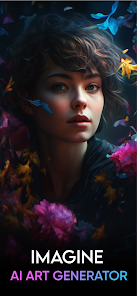
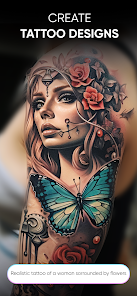
I've been using Imagine: AI Art Generator for a few months now, and it's become my go-to app for creating digital artwork. Developed by Vyro AI, this app falls squarely into the art and design genre, letting you generate stunning images from simple text descriptions. It first launched a while back, and you can easily download it from the Google Play Store. I remember seeing it had millions of installs, which gave me some confidence before I hit the install button myself. The app is free to download and use, which is a huge plus. You don't need to register an account to start creating, which I appreciate for quick sessions. Of course, like many free apps, it does have in-app purchases if you want to remove ads or get more generation credits, and you will see occasional ads, but they're not too intrusive.
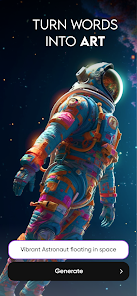
Using the app is straightforward. You just type in a prompt, like "a cyberpunk cat in a neon-lit alley," choose an art style, and let the AI work its magic. My tip is to be as descriptive as possible in your prompts; it really makes a difference in the final image. I often browse the community feed for inspiration on what prompts work well. The app saves all your creations in a gallery, so you can easily go back and download your favorites or share them directly to social media.
I've tried a few other similar apps, like Dream by Wombo and StarryAI. While they're all fun, I keep coming back to Imagine. For me, the image quality and the variety of styles in this app just feel a step above. The generations seem more detailed and coherent, especially for complex scenes. Some other apps in this genre can feel a bit hit-or-miss, but Imagine has been consistently reliable for my needs, whether I'm making a fun wallpaper or a piece of concept art.
Key Functional Highlights
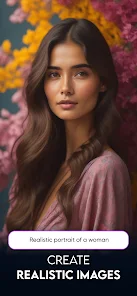
- 🎨 Diverse & High-Quality Styles: The range of art styles in this app is impressive, from photorealism to anime, oil painting, and cyberpunk. Compared to a popular app like Dream, I find Imagine's outputs are often more detailed and visually polished, with fewer weird artifacts in the final image.
- ⚡ Fast & Simple Workflow: The process from typing a prompt to getting a result is incredibly fast. You don't need to fiddle with a ton of complicated settings before generating, which makes the app feel more accessible than some other generators that can be overwhelming for beginners.
- 📱 Optimized for Mobile: The app is clearly designed for on-the-go creation. The interface is clean, and saving, sharing, or downloading your art is a seamless one-tap process. It feels more native to my phone than some web-based or desktop-focused alternatives.
- 🔄 Active Community & Inspiration: The built-in community feed is a standout feature. You can see what others are creating, reuse their prompts, and get inspired. This social aspect isn't as developed in many other similar apps I've used, making Imagine feel more like a creative hub.
Advantages & Benefits
- ✅ Superior Image Fidelity: The AI simply produces cleaner, more coherent images than many competitors like StarryAI, especially for human figures and complex landscapes.
- ✅ No Mandatory Login: You can start creating immediately after install, unlike some apps that force registration, which is a hassle.
- ✅ Free Tier Generosity: The daily free credits are quite reasonable, allowing for substantial experimentation without paying.
Areas for Improvement
- ❌ Credit System Can Be Limiting: Heavy users will hit the free credit limit quickly. Apps like Dream sometimes offer more frequent free generations.
- ❌ Ads in the Free Version: The ads, while not excessive, can interrupt the creative flow. Some competing apps have a less ad-intrusive model.
- ❌ Limited Advanced Controls: For fine-tuning, it lacks the granular control (like specific seed input or step adjustment) found in more pro-focused apps.
Recommended Apps
![]()
ZEPETO: Avatar, Connect & Play
Naver Z Corporation4.3
![]()
Reverse Voice: Flip Singing
NindaFuit0![]()
AI Chat Ask Assistant - NowAI
Now Tech4.3![]()
Lie Detector Test: Prank App
DkTech inc.4.3![]()
Peachy - AI Face & Body Editor
InShot Video Editor4.8
![]()
AI Video Art Creator - Livensa
FERASET4.5![]()
Google Voice
Google LLC4.3![]()
Horoscopes & Tarot
Astrolis Horoscopes4.7![]()
eBay online shopping & selling
eBay Mobile4.6![]()
JPay
Jpay Mobile4.1![]()
Stranger Things 5 Challenges
MVH Entertainment Team5![]()
Chat Master: Prank Story
ABI Game Studio4.8![]()
Google Maps
Google LLC4.2![]()
AI Chat・Ask Chatbot Assistant
AI Chat Studio4.5![]()
Name Meanings with Impact
Alif Innovative Solution3.7















You May Like
-
![]()
True Tarot Card Reading
KaApps4.2 -
![]()
LinkedIn: Jobs & Business News
LinkedIn4.2 -
![]()
iControl: Easy Widgets Themes
Fancy keyboard for theme apps4.6 -
![]()
Duolingo: Language & Chess
Duolingo4.7 -
![]()
Flipped:Chat with AI Character
First Group pte ltd4.1 -
![]()
Hearing Age
Mobile Solutions Tech0 -
![]()
TikTok
TikTok Pte. Ltd.4.4 -
![]()
Pretty Makeup - Beauty Camera
Photo Editor Perfect Corp.4.4 -
![]()
PhotoRoom AI Photo Editor
PhotoRoom Background Editor App4.7 -
![]()
Lightleap by Lightricks
Lightricks Ltd.4.3 -
![]()
Name Meaning
Dexati4.1 -
![]()
Truth Social
T Media Tech LLC3.3 -
![]()
Ace Hardware
Ace Hardware Corporation4.7 -
![]()
Kpop Fans Demon Hunter Wallpap
JHNStudio4.3 -
![]()
Artplay - AI Photo & Video
Hideaway Technology Limited4.5










































