

Pencil Sketch
Dumpling Sandwich Software Inc.
Installs
50M+
Developer
Dumpling Sandwich Software Inc.
-
Category
Video Players & Editors
-
Content Rating
Rated for 3+
Developer Email
Privacy Policy
https://dumplingsandwich.com/privacy-policy
Screenshots

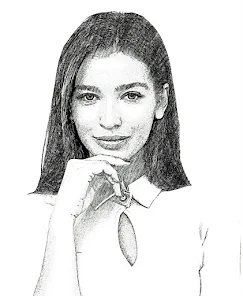
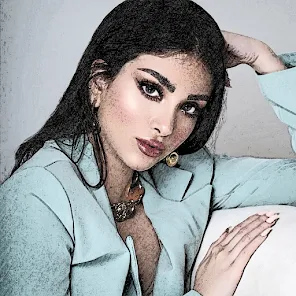
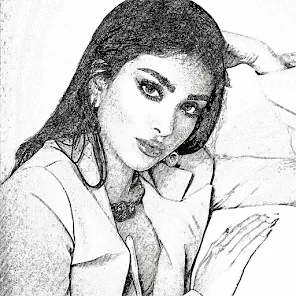
Expert Review
Pencil Sketch is a straightforward photo editing app that turns your pictures into realistic-looking pencil drawings. It's a niche tool within the broader photo editing genre, perfect for when you want to give your photos a classic, artistic sketch effect without any fuss. The app first launched a while back, and you can easily find and download it from the Google Play Store. It's been installed millions of times, which shows how popular this simple concept is. Getting the app is free, and you don't even need to register an account to start using it. That's a big plus for quick edits. However, like many free apps, it does show ads, and there are in-app purchases if you want to remove those ads or unlock some extra filter styles.
Using Pencil Sketch is dead simple. You just open the app, pick a photo from your gallery, and the app does its magic almost instantly. It applies the pencil sketch filter, and you're done. A good tip is to start with photos that have clear subjects and good contrast; they tend to produce the best sketch results. You can sometimes adjust the intensity of the effect, but mostly, it's a one-tap process. I keep it installed for those moments when a regular filter just won't cut it and I need that hand-drawn look for a project or just for fun on social media.
When you look at similar apps in the Google Play Store, like 'Sketch Photo Editor' or 'Photo to Sketch', Pencil Sketch stands out for its sheer simplicity and reliability. Others might offer more brushes or complex editing tools, but they can feel cluttered. I chose this app because it does one job very well without overcomplicating things. It doesn't try to be a full-blown editor; it's just a quick sketch converter. For a fast, no-fuss transformation, this app is my go-to. The others might have more features, but for the core task of making a photo look like a pencil sketch, this one delivers consistently every time I use it.
Key Functional Highlights
- ⚫ Instant One-Tap Artistry: The core feature is its speed. Unlike comprehensive editors like Adobe Photoshop Express, you don't tweak sliders for hours. Pick a photo, tap once, and you have a convincing pencil sketch. It's perfect for quick social media posts.
- ⚫ Focused Filter Library: While other apps bombard you with hundreds of filters, Pencil Sketch offers a curated set focused solely on sketch and drawing styles (charcoal, color pencil, etc.). This focus makes choosing the right effect faster and less overwhelming.
- ⚫ Lightweight and Always Ready: The app has a small footprint. It installs quickly from Google Play and doesn't hog storage or battery. Compared to bulkier creative suites, it's an app I can keep on my phone indefinitely for spontaneous creative bursts.
- ⚫ Intuitive Sharing Pipeline: Right after creating your sketch, big, clear buttons let you share it directly to Instagram, Facebook, or your messaging apps. It's more streamlined than saving and then navigating to another app to post.
Advantages & Benefits
- ✅ Pure Simplicity: Its biggest strength is doing one thing perfectly. Apps like PicsArt can do sketches too, but buried under layers of menus. Here, the function is immediate and the primary focus.
- ✅ Consistent Results: The sketch algorithm is reliable. It produces clean, artistic lines consistently, whereas some competitors' outputs can look messy or over-processed.
- ✅ Truly Free to Try: You can download, install, and use the core sketching function completely free. Other apps like 'Sketch Me!' often watermark free outputs or are very limited.
Areas for Improvement
- ⚠️ Ad Interruptions: The free version has frequent full-screen ads, which can break the creative flow. Paid competitors or premium versions of similar apps offer an ad-free experience.
- ⚠️ Limited Customization: If you want to adjust line thickness, shading intensity, or paper texture in detail, you're out of luck. An app like 'Painnt' offers far more control over the final artistic look.
- ⚠️ Basic Editing Tools: It lacks even simple tools like cropping or brightness adjustment before applying the sketch. You often need to pre-edit your photo in another app first.
Recommended Apps
![]()
ZEPETO: Avatar, Connect & Play
Naver Z Corporation4.3
![]()
Reverse Voice: Flip Singing
NindaFuit0![]()
AI Chat Ask Assistant - NowAI
Now Tech4.3![]()
Lie Detector Test: Prank App
DkTech inc.4.3![]()
Peachy - AI Face & Body Editor
InShot Video Editor4.8
![]()
AI Video Art Creator - Livensa
FERASET4.5![]()
Google Voice
Google LLC4.3![]()
Horoscopes & Tarot
Astrolis Horoscopes4.7![]()
eBay online shopping & selling
eBay Mobile4.6![]()
JPay
Jpay Mobile4.1![]()
Stranger Things 5 Challenges
MVH Entertainment Team5![]()
Chat Master: Prank Story
ABI Game Studio4.8![]()
Google Maps
Google LLC4.2![]()
AI Chat・Ask Chatbot Assistant
AI Chat Studio4.5![]()
Name Meanings with Impact
Alif Innovative Solution3.7















You May Like
-
![]()
True Tarot Card Reading
KaApps4.2 -
![]()
LinkedIn: Jobs & Business News
LinkedIn4.2 -
![]()
iControl: Easy Widgets Themes
Fancy keyboard for theme apps4.6 -
![]()
Duolingo: Language & Chess
Duolingo4.7 -
![]()
Flipped:Chat with AI Character
First Group pte ltd4.1 -
![]()
Hearing Age
Mobile Solutions Tech0 -
![]()
TikTok
TikTok Pte. Ltd.4.4 -
![]()
Pretty Makeup - Beauty Camera
Photo Editor Perfect Corp.4.4 -
![]()
PhotoRoom AI Photo Editor
PhotoRoom Background Editor App4.7 -
![]()
Lightleap by Lightricks
Lightricks Ltd.4.3 -
![]()
Name Meaning
Dexati4.1 -
![]()
Truth Social
T Media Tech LLC3.3 -
![]()
Ace Hardware
Ace Hardware Corporation4.7 -
![]()
Kpop Fans Demon Hunter Wallpap
JHNStudio4.3 -
![]()
Artplay - AI Photo & Video
Hideaway Technology Limited4.5









































