
Bing: Chat with AI & GPT-4
Microsoft Corporation
Installs
10,000,000+
Developer
Microsoft Corporation
-
Category
Productivity
-
Content Rating
Rated for 3+
Developer Email
Privacy Policy
https://go.microsoft.com/fwlink/?LinkID=248686
Screenshots
Expert Review
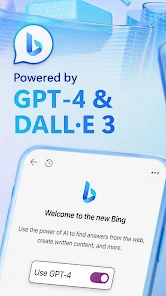
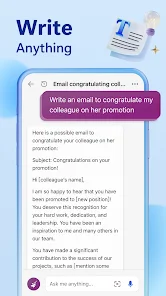
Bing, or the new Bing as it's often called now, is Microsoft's AI-powered search and chat assistant. It's built right into the Edge browser and also has a standalone app. The core idea is to give you more than just a list of blue links. You can have a full conversation with it to get answers, create content, brainstorm ideas, or even generate images. It launched in early 2023 and is available on the web, through the Bing mobile app on both Google Play and the App Store, and integrated into Windows. The app itself is free to download and install, and you don't need a separate registration if you sign in with a Microsoft account, which is pretty much required to use all the AI features. There are no in-app purchases, and I haven't seen any traditional ads within the chat interface itself, which is a huge plus.
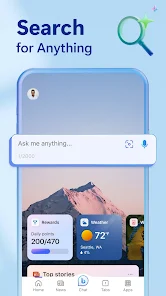
Using the Bing app feels like texting a super-smart friend who can also search the web. I usually start by typing or speaking a question, and it replies with a detailed paragraph summarizing what it found. The magic happens in the follow-up. You can just say "explain that simpler" or "give me three more ideas" without repeating yourself. A great tip is to be specific with your requests, especially for creative tasks. Instead of "write a poem," try "write a haiku about a robot learning to garden." For research, I often ask it to summarize long articles or compare different viewpoints on a topic. It's become my go-to first step for almost any question.
Compared to other AI chatbots like the standalone ChatGPT app, I keep coming back to Bing for a few reasons. The biggest one is that it's connected to the internet for free, so its knowledge is current. ChatGPT's free version can't browse the web. Also, because it's tied to a search engine, it usually cites its sources with little footnotes, which helps me trust the info a bit more and dive deeper if I want. While apps like Google's Gemini are also strong competitors, Bing's deep integration with the Microsoft ecosystem, especially if you use Office or Windows, makes it incredibly seamless. For a free app that combines search, chat, and creation, it's hard to beat.
Key Functional Highlights
- 🌐 Web-Aware Answers: Unlike many AI apps that rely on a static knowledge base, Bing can pull in fresh, real-time information from the internet. This means you can ask about today's news, current stock prices, or live sports scores, and it will give you an up-to-date answer, complete with citations.
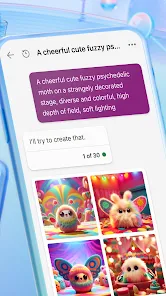
- 🎨 Built-in Image Creator: One of its standout features is DALL-E integration. Right within the same chat, you can ask it to generate images. Just type something like "create a realistic photo of a castle on a cloud," and it will produce several options for you to download, all without leaving the app.
- 💬 Multiple Conversation Styles: You can tailor its responses by choosing a tone. Need precise, factual answers for research? Pick 'Precise'. Want a more creative and engaging reply for brainstorming? Switch to 'Creative'. The 'Balanced' mode is great for everyday chatting. This flexibility isn't always present in other similar apps.
- 📱 Seamless Multi-Platform Sync: Start a conversation on the Bing app on your phone, and you can pick it right back up on the web version on your laptop. Your chat history syncs across devices when you're signed in, making it a truly continuous experience compared to some standalone chatbot apps.
Advantages & Benefits
- ✅ It's Free and Connected: The combo of free access, GPT-4 level intelligence, and live web search is unique. Apps like ChatGPT Plus charge a subscription for similar web access, while Google Gemini's free tier has limitations.
- ✅ Citation and Transparency: It often links back to its sources. If I'm using it for schoolwork or fact-checking, those little footnotes are invaluable, a feature that's more consistent here than in many other chat-focused apps.
- ✅ Ecosystem Integration: For Windows and Edge users, it feels native. The sidebar in Edge is incredibly handy for summarizing pages or asking questions about the content you're viewing without tab-switching.
Areas for Improvement
- ⚠️ Strict Conversation Limits: It has a cap on the number of turns per conversation and a daily limit on total chats. If you're deep into a complex task, hitting this limit can be frustrating. Other apps, like Claude or the paid version of ChatGPT, offer much longer, uninterrupted sessions.
- ⚠️ Sometimes Overly Cautious: Its safety filters can be quite aggressive. It might refuse to answer certain creative or hypothetical prompts that other AI apps would engage with, which can break the flow of brainstorming.
- ⚠️ App Experience Can Vary: The core chat is great, but the overall mobile app feels a bit like a wrapper around the web version. Dedicated apps like Perplexity AI sometimes feel more optimized and feature-rich for mobile discovery and search.
Recommended Apps
![]()
ZEPETO: Avatar, Connect & Play
Naver Z Corporation4.3
![]()
Reverse Voice: Flip Singing
NindaFuit0![]()
AI Chat Ask Assistant - NowAI
Now Tech4.3![]()
Lie Detector Test: Prank App
DkTech inc.4.3![]()
Peachy - AI Face & Body Editor
InShot Video Editor4.8
![]()
AI Video Art Creator - Livensa
FERASET4.5![]()
Google Voice
Google LLC4.3![]()
Horoscopes & Tarot
Astrolis Horoscopes4.7![]()
eBay online shopping & selling
eBay Mobile4.6![]()
JPay
Jpay Mobile4.1![]()
Stranger Things 5 Challenges
MVH Entertainment Team5![]()
Chat Master: Prank Story
ABI Game Studio4.8![]()
Google Maps
Google LLC4.2![]()
AI Chat・Ask Chatbot Assistant
AI Chat Studio4.5![]()
Name Meanings with Impact
Alif Innovative Solution3.7















You May Like
-
![]()
True Tarot Card Reading
KaApps4.2 -
![]()
LinkedIn: Jobs & Business News
LinkedIn4.2 -
![]()
iControl: Easy Widgets Themes
Fancy keyboard for theme apps4.6 -
![]()
Duolingo: Language & Chess
Duolingo4.7 -
![]()
Flipped:Chat with AI Character
First Group pte ltd4.1 -
![]()
Hearing Age
Mobile Solutions Tech0 -
![]()
TikTok
TikTok Pte. Ltd.4.4 -
![]()
Pretty Makeup - Beauty Camera
Photo Editor Perfect Corp.4.4 -
![]()
PhotoRoom AI Photo Editor
PhotoRoom Background Editor App4.7 -
![]()
Lightleap by Lightricks
Lightricks Ltd.4.3 -
![]()
Name Meaning
Dexati4.1 -
![]()
Truth Social
T Media Tech LLC3.3 -
![]()
Ace Hardware
Ace Hardware Corporation4.7 -
![]()
Kpop Fans Demon Hunter Wallpap
JHNStudio4.3 -
![]()
Artplay - AI Photo & Video
Hideaway Technology Limited4.5










































