

Ask AI - Chat with Chatbot
Codeway Dijital
Installs
10M+
Developer
Codeway Dijital
-
Category
Generative AI
-
Content Rating
Rated for 3+
Developer Email
Privacy Policy
https://static.vegachat.ai/privacy-en.html
Screenshots
Expert Review
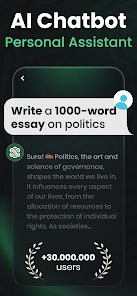
I've been using the Ask AI app for a few months now, and it's become a real go-to tool on my phone. It's a chatbot application, basically a mobile AI assistant you can chat with to get answers, brainstorm ideas, or even help with writing. The app was launched by Codeway Dijital, and you can easily find and download it from the Google Play Store. It's got a huge number of installs, which gave me some confidence before I hit the install button myself. The core app is free to download and use, which is great. You don't need to register an account to start chatting, which I really appreciate for quick, anonymous queries. Of course, like many free apps, it does have in-app purchases for premium features and likely shows some ads to support development, but the basic functionality is solid and accessible right away.
Using the app is straightforward. You just open it and type your question into the chatbox, almost like texting a friend who knows a lot. I use it for all sorts of things: settling dinner debates with quick facts, getting explanations for complex topics in simpler terms, or even drafting short emails. A good tip is to be as clear as possible in your prompts; the more specific you are, the better and more relevant the answer tends to be. I also found it useful for creative tasks, like coming up with story ideas or brainstorming names for a project.
There are plenty of other chatbot apps in the same genre on Google Play, like some of the more established names. I tried a couple before settling on Ask AI. The reason I stuck with this app is its balance of simplicity and capability. Some other apps felt cluttered with features I didn't need, while others seemed too limited. Ask AI hits a sweet spot for me. It's fast, the interface is clean and doesn't get in the way, and the AI's responses are generally helpful and coherent for everyday use. It just feels like a more streamlined and user-friendly experience compared to some alternatives I've tested.
Key Functional Highlights
- 🤖 Clean, Focused Interface: Unlike some bloated assistants, Ask AI's design is minimal. You open the app and chat immediately. There's no confusing dashboard or unnecessary menus, which makes it perfect for quick, on-the-go questions without any fuss.
- 📝 Solid Writing and Rewriting Aid: One standout feature for me is its help with text. Whether I'm polishing a social media post, rephrasing a sentence for clarity, or expanding a short idea into a paragraph, the app provides useful suggestions that often spark better ideas.
- ⚡ Quick and Reliable Performance: The app is generally snappy. Responses load quickly, and I've rarely experienced crashes or long wait times. This reliability makes it a trustworthy tool compared to some other free chatbot apps that can be slow or buggy.
- 🎯 Versatile for Daily Queries: From explaining scientific concepts to planning a workout or suggesting recipes based on ingredients, the app handles a wide range of casual, everyday prompts effectively. It feels like a versatile digital Swiss Army knife for information.
Advantages & Benefits
- 👍 Zero-Barrier Start: You can download, install, and start using it instantly without sign-up. Many competitors, even popular ones, require an email or account creation first, which Ask AI smartly avoids.
- 👍 Ad-Free Core Experience: While there are in-app purchases, the basic chat interface itself is surprisingly clean and not bombarded with video ads after every query, a common annoyance in other free apps in this genre.
- 👍 Lightweight and Efficient: The app doesn't feel heavy on my phone's resources. Compared to some similar apps that are packed with features I never use, Ask AI's focused approach is a strength in performance and usability.
Areas for Improvement
- 👎 Limited Memory/Context: Unlike some more advanced chatbots, Ask AI can sometimes struggle with very long, complex conversations or remembering context from many messages back. It's best for shorter, discrete Q&A sessions.
- 👎 Basic Voice Features: If you're looking for robust voice interaction like you'd find in a major virtual assistant app, this isn't its strong suit. The voice input/output features feel more basic in comparison.
- 👎 Premium Paywall for Advanced Features: For power users wanting the highest quality responses or specialized modes, you'll hit the in-app purchase wall. The free version is great, but the top-tier capabilities are locked, which is standard but worth noting.
Recommended Apps
![]()
ZEPETO: Avatar, Connect & Play
Naver Z Corporation4.3
![]()
Reverse Voice: Flip Singing
NindaFuit0![]()
AI Chat Ask Assistant - NowAI
Now Tech4.3![]()
Lie Detector Test: Prank App
DkTech inc.4.3![]()
Peachy - AI Face & Body Editor
InShot Video Editor4.8
![]()
AI Video Art Creator - Livensa
FERASET4.5![]()
Google Voice
Google LLC4.3![]()
Horoscopes & Tarot
Astrolis Horoscopes4.7![]()
eBay online shopping & selling
eBay Mobile4.6![]()
JPay
Jpay Mobile4.1![]()
Stranger Things 5 Challenges
MVH Entertainment Team5![]()
Chat Master: Prank Story
ABI Game Studio4.8![]()
Google Maps
Google LLC4.2![]()
AI Chat・Ask Chatbot Assistant
AI Chat Studio4.5![]()
Name Meanings with Impact
Alif Innovative Solution3.7















You May Like
-
![]()
True Tarot Card Reading
KaApps4.2 -
![]()
LinkedIn: Jobs & Business News
LinkedIn4.2 -
![]()
iControl: Easy Widgets Themes
Fancy keyboard for theme apps4.6 -
![]()
Duolingo: Language & Chess
Duolingo4.7 -
![]()
Flipped:Chat with AI Character
First Group pte ltd4.1 -
![]()
Hearing Age
Mobile Solutions Tech0 -
![]()
TikTok
TikTok Pte. Ltd.4.4 -
![]()
Pretty Makeup - Beauty Camera
Photo Editor Perfect Corp.4.4 -
![]()
PhotoRoom AI Photo Editor
PhotoRoom Background Editor App4.7 -
![]()
Lightleap by Lightricks
Lightricks Ltd.4.3 -
![]()
Name Meaning
Dexati4.1 -
![]()
Truth Social
T Media Tech LLC3.3 -
![]()
Ace Hardware
Ace Hardware Corporation4.7 -
![]()
Kpop Fans Demon Hunter Wallpap
JHNStudio4.3 -
![]()
Artplay - AI Photo & Video
Hideaway Technology Limited4.5











































