
Phone Tracker - Phone Locator
Lutech Ltd
Installs
1M+
Developer
Lutech Ltd
-
Category
Travel & Local
-
Content Rating
Rated for 3+
Developer Email
Privacy Policy
https://doc-hosting.flycricket.io/phone-tracker-gps-locator-app-privacy-policy/0933f8b1-86c7-43f5-8a1c-5bccdc733169/privacy
Screenshots
Expert Review
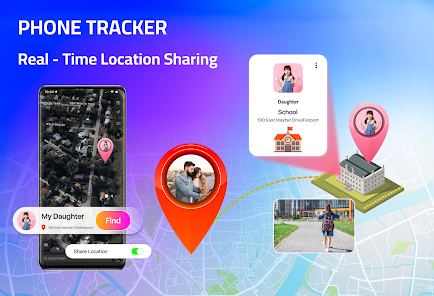
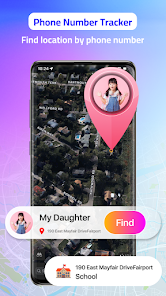
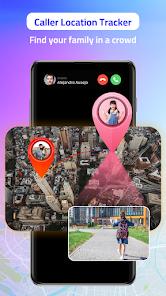
Phone Tracker - Phone Locator is a handy utility app designed to help you keep tabs on your family members' locations and ensure their safety. The core function of this app is real-time location tracking, allowing you to see where your loved ones are on a map. It's primarily used by parents to monitor their children's whereabouts or by friends wanting to coordinate meetups. The app was first launched several years ago and has since gained a solid user base. You can easily download it for free from the Google Play Store. It has racked up millions of installs, which speaks to its popularity in the utility genre. While the app itself is free to install, you do need to create an account to start using its features. There are in-app purchases available to unlock more advanced functions, and you might also encounter some ads in the free version.
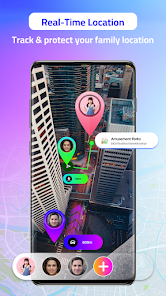
Using the app is pretty straightforward. After you download and install it, you set up a circle of trusted contacts. Everyone in your circle needs to have the app installed and grant location permissions. Once that's done, you can open the app and see everyone's live location on a clean map interface. A good tip is to make sure location sharing is set to 'always' for the most accurate tracking, otherwise, you might get sporadic updates. The app also has features like location history and geofencing, where you can set up safe zones and get alerts when someone enters or leaves them. It's become a regular part of my day to quickly check the app before my kids head home from school.
There are quite a few similar apps out there, like Life360 or Find My Device. I tried a couple before settling on Phone Tracker. The main reason I chose this app over others was its simplicity and reliability. Some other apps felt cluttered with too many social features I didn't need. This one focuses on location tracking and does that job well without much fuss. The map loads quickly, and the location updates are consistent, which is the most important thing for me. While Life360 might have a bigger name, I found this app from Lutech to be just as effective for my basic needs, and it doesn't drain my phone's battery as noticeably.
Key Functional Highlights
- 📍 Real-Time Location Sharing: The standout feature is its smooth, real-time tracking. Once everyone in your circle has the app installed, their locations update on the map almost instantly. This is much more responsive than some other trackers I've tried where locations can lag.
- 📍 Geofencing with Alerts: You can draw virtual boundaries, or geofences, on the map around places like home, school, or work. The app sends a notification to your phone the moment a family member arrives at or leaves these zones. It's a fantastic peace-of-mind feature.
- 📍 Location History Timeline: Unlike the basic Google Find My Device, this app keeps a detailed history of where a phone has been. You can scroll through a timeline for any day to see the route taken, which is really useful for checking back on a family member's day.
- 📍 Low Battery Consumption: For a tracking app that runs in the background, it's surprisingly light on battery. Compared to a popular app like Life360, which I felt was a bigger drain, this app manages background location updates more efficiently.
Advantages & Benefits
- 👍 Focused & Uncluttered: It sticks to core tracking without unnecessary social feeds or gamification, making it simpler than something like Life360.
- 👍 Reliable Updates: The location data is consistently accurate and refreshes quickly, which is the whole point of a tracker.
- 👍 Easy Setup: Getting the app installed and your circle set up on Google Play is a quick process with clear instructions.
Areas for Improvement
- 👎 Ads in Free Version: The presence of ads can be intrusive, whereas some competitors offer a completely ad-free basic experience.
- 👎 Limited Free Features: Key features like extended location history or advanced geofencing require a subscription, more so than in some other apps.
- 👎 Requires App on All Phones: Like most trackers, it only works if the app is installed and permissions are granted on the target phone, which can be a hurdle with older kids or teens.
Recommended Apps
![]()
ZEPETO: Avatar, Connect & Play
Naver Z Corporation4.3
![]()
Reverse Voice: Flip Singing
NindaFuit0![]()
AI Chat Ask Assistant - NowAI
Now Tech4.3![]()
Lie Detector Test: Prank App
DkTech inc.4.3![]()
Peachy - AI Face & Body Editor
InShot Video Editor4.8
![]()
AI Video Art Creator - Livensa
FERASET4.5![]()
Google Voice
Google LLC4.3![]()
Horoscopes & Tarot
Astrolis Horoscopes4.7![]()
eBay online shopping & selling
eBay Mobile4.6![]()
JPay
Jpay Mobile4.1![]()
Stranger Things 5 Challenges
MVH Entertainment Team5![]()
Chat Master: Prank Story
ABI Game Studio4.8![]()
Google Maps
Google LLC4.2![]()
AI Chat・Ask Chatbot Assistant
AI Chat Studio4.5![]()
Name Meanings with Impact
Alif Innovative Solution3.7















You May Like
-
![]()
True Tarot Card Reading
KaApps4.2 -
![]()
LinkedIn: Jobs & Business News
LinkedIn4.2 -
![]()
iControl: Easy Widgets Themes
Fancy keyboard for theme apps4.6 -
![]()
Duolingo: Language & Chess
Duolingo4.7 -
![]()
Flipped:Chat with AI Character
First Group pte ltd4.1 -
![]()
Hearing Age
Mobile Solutions Tech0 -
![]()
TikTok
TikTok Pte. Ltd.4.4 -
![]()
Pretty Makeup - Beauty Camera
Photo Editor Perfect Corp.4.4 -
![]()
PhotoRoom AI Photo Editor
PhotoRoom Background Editor App4.7 -
![]()
Lightleap by Lightricks
Lightricks Ltd.4.3 -
![]()
Name Meaning
Dexati4.1 -
![]()
Truth Social
T Media Tech LLC3.3 -
![]()
Ace Hardware
Ace Hardware Corporation4.7 -
![]()
Kpop Fans Demon Hunter Wallpap
JHNStudio4.3 -
![]()
Artplay - AI Photo & Video
Hideaway Technology Limited4.5











































