
Tai Chi Workout at Home
Hazard Studio
Installs
500K+
Developer
Hazard Studio
-
Category
Health & Fitness
-
Content Rating
Everyone
Developer Email
Privacy Policy
https://hazardfitnessads.web.app/private_policy.html
Screenshots
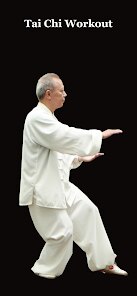
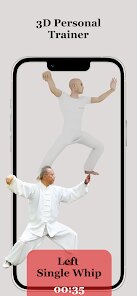
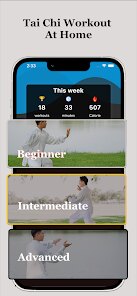
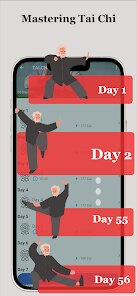
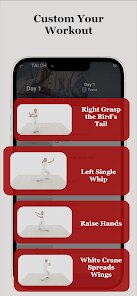
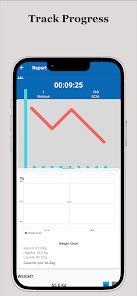
Expert Review
For anyone looking to bring the meditative flow of Tai Chi into their daily routine without stepping outside, Tai Chi Workout at Home from Hazard Studio offers a straightforward solution. Available on Google Play, this fitness and wellness app focuses on guiding users through traditional Tai Chi movements through a combination of video demonstrations and illustrated instructions. The app is free to download and install, though it relies on occasional advertisements and does offer optional in-app purchases for those who want to unlock additional routines or remove the ads. It categorizes sessions by duration and focus, making it easy to pick a practice that fits your schedule.
Starting the app reveals a clean main menu where you can browse through various lesson categories. Each movement is demonstrated via a short video, while text descriptions break down the posture and breathing rhythm step by step. I found that following along with the on-screen instructor works well, especially once you get familiar with the sequence of poses. The app allows you to bookmark favorite sessions and track your practice history, which adds a helpful sense of continuity without being intrusive. The interface is responsive, and the app doesn't feel cluttered, which matters when you're trying to maintain a calm state of mind during practice.
When compared with other home workout apps like Daily Yoga or simply following YouTube tutorials, this Tai Chi app offers a more focused approach on the specific discipline. While many general fitness apps include one or two Tai Chi sessions as a bonus, this one commits entirely to the practice. The instructional style is less about motivation and more about form correction, which sets it apart from apps that rely heavily on energetic coaching. One mild observation: the video quality is adequate, though not as polished as what you might find from larger studios on streaming platforms.
Key Functional Highlights
- The session library covers a respectable range of styles, from 10-minute warm-up flows to longer 45-minute deep practices. This range makes it flexible enough for both quick breaks and dedicated practice sessions without overwhelming the user with choice.
- The step-by-step breakdown of poses includes both visual and textual guidance. Unlike some fitness apps that rush through transitions, this one pauses to explain weight shifts and breathing coordination, which helped me feel more connected to each movement rather than just copying what I saw on screen.
- The practice timer and progress tracking features are simple but effective. I appreciated being able to see how many consecutive days I had practiced, though I wish the app offered more detailed insights into which poses I had worked on most frequently.
- Compared to apps like Qi Gong for Beginners, the video instruction here feels slightly less refined, but the catalog of routines is broader and covers more traditional forms, which may matter for those looking to deepen their practice beyond basics.
Advantages & Benefits
- It provides a structured way to learn Tai Chi at home without needing a teacher or class schedule, saving both time and money over typical studio sessions.
- The variety in session lengths lets me squeeze in practice even on busy days, which has helped me maintain a more consistent routine than when I relied on in-person classes.
- The focused content on breathing and slow, deliberate movement has genuinely helped reduce stress after work, making the app useful for both physical and mental wellness.
Areas for Improvement
- The ad frequency can feel distracting, especially between shorter sessions. While watching a brief ad before a 10-minute flow is understandable, popping up mid-session disrupts the mindful rhythm.
- Some video demonstrations are filmed at angles that make it tricky to see foot placement clearly. A top-down or split-angle view would be helpful for complex poses.
- Advanced practitioners may find the routines too repetitive after a few weeks, as the same core sequences appear across multiple sessions with only minor variations in duration or repetition count.
Recommended Apps
![]()
ZEPETO: Avatar, Connect & Play
Naver Z Corporation4.3
![]()
Reverse Voice: Flip Singing
NindaFuit0![]()
AI Chat Ask Assistant - NowAI
Now Tech4.3![]()
Lie Detector Test: Prank App
DkTech inc.4.3![]()
Peachy - AI Face & Body Editor
InShot Video Editor4.8
![]()
AI Video Art Creator - Livensa
FERASET4.5![]()
Google Voice
Google LLC4.3![]()
Horoscopes & Tarot
Astrolis Horoscopes4.7![]()
eBay online shopping & selling
eBay Mobile4.6![]()
JPay
Jpay Mobile4.1![]()
Stranger Things 5 Challenges
MVH Entertainment Team5![]()
Chat Master: Prank Story
ABI Game Studio4.8![]()
Google Maps
Google LLC4.2![]()
AI Chat・Ask Chatbot Assistant
AI Chat Studio4.5![]()
Name Meanings with Impact
Alif Innovative Solution3.7















You May Like
-
![]()
True Tarot Card Reading
KaApps4.2 -
![]()
LinkedIn: Jobs & Business News
LinkedIn4.2 -
![]()
iControl: Easy Widgets Themes
Fancy keyboard for theme apps4.6 -
![]()
Duolingo: Language & Chess
Duolingo4.7 -
![]()
Flipped:Chat with AI Character
First Group pte ltd4.1 -
![]()
Hearing Age
Mobile Solutions Tech0 -
![]()
TikTok
TikTok Pte. Ltd.4.4 -
![]()
Pretty Makeup - Beauty Camera
Photo Editor Perfect Corp.4.4 -
![]()
PhotoRoom AI Photo Editor
PhotoRoom Background Editor App4.7 -
![]()
Lightleap by Lightricks
Lightricks Ltd.4.3 -
![]()
Name Meaning
Dexati4.1 -
![]()
Truth Social
T Media Tech LLC3.3 -
![]()
Ace Hardware
Ace Hardware Corporation4.7 -
![]()
Kpop Fans Demon Hunter Wallpap
JHNStudio4.3 -
![]()
Artplay - AI Photo & Video
Hideaway Technology Limited4.5










































