
Learn to Draw Cartoon
Creative APPS
Installs
5M+
Developer
Creative APPS
-
Category
Art & Design
-
Content Rating
Rated for 3+
Developer Email
Privacy Policy
https://sites.google.com/view/draw-apps-for-free/
Screenshots
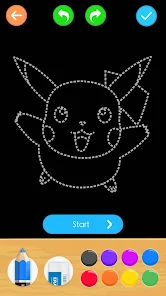
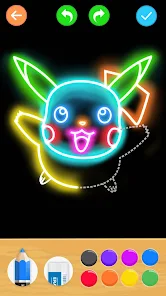
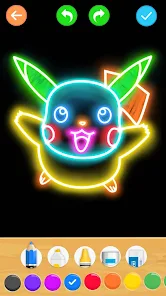
Expert Review
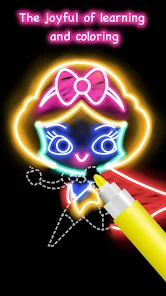
I've been using the Learn to Draw Cartoon app for a while now, and it's exactly what it sounds like—a drawing guide app focused on cartoon characters. It's perfect for beginners who want to pick up a fun hobby. I first downloaded it from the Google Play Store a couple of years ago. The app itself is free to install, which is a great way to try it out without any commitment. You don't even need to register an account to start using the basic lessons, which I really appreciate. It has a solid number of downloads, showing it's a popular choice in its genre. While the core app is free, there are optional in-app purchases to unlock more advanced tutorials and tools. You'll also see some ads in the free version, but they're not too intrusive.
Using the app is straightforward. You pick a character you want to learn—like a funny animal or a simple superhero—and follow the step-by-step guide. The app breaks down each drawing into basic shapes, which makes it less intimidating. My tip is to start with the simplest tutorials, even if they seem too easy. It helps you get used to the app's interface and builds your confidence. I often use it during my commute or when I just need a relaxing break.
There are other drawing apps out there, like 'How to Draw - Easy Lessons' or 'SketchBook'. I tried a few before settling on this one. The main reason I stuck with Learn to Draw Cartoon is its laser focus. Other apps try to cover everything from realism to manga, which can be overwhelming. This app knows its niche—cartoons—and does it really well. The lessons are tailored specifically for that playful, exaggerated style, which is exactly what I was looking for. For someone who just wants to draw cute or funny characters without a steep learning curve, this is the app to download.
Key Functional Highlights
- 🎯 Focused Cartoon Curriculum: Unlike broader drawing apps, this one is dedicated solely to the cartoon genre. Every lesson is designed to teach that specific, expressive style, from goofy faces to dynamic poses, making the learning path very clear.
- 🔄 Step-by-Step Breakdown: The app excels at deconstructing complex cartoon characters into simple lines and circles. This foundational approach is fantastic for absolute beginners and is more systematically taught here than in many similar apps.
- 📥 Truly Free to Start: You can download and install the app and complete a good number of lessons without paying a cent or even creating an account. This low barrier to entry is a standout feature compared to apps that lock basic content behind immediate paywalls.
- 🎨 Progress-Based Unlocks: More advanced tutorials and tools are unlocked as you complete lessons, which feels rewarding and motivates you to keep practicing, a gamified element not all drawing apps implement well.
Advantages & Benefits
- 👍 Perfect for Absolute Beginners: Its simplicity and focused scope make it less intimidating than comprehensive apps like Adobe Fresco or even Autodesk SketchBook for someone just starting with cartoons.
- 👍 Offline Functionality: Once lessons are downloaded, you don't need an internet connection to use them, which is more reliable than some web-dependent tutorial platforms.
- 👍 Community Feel: The app has a simple gallery where you can see other users' attempts at the same lesson, which is encouraging and less isolating than practicing completely alone.
Areas for Improvement
- 👎 Limited Artistic Depth: If you want to move beyond simple cartoons into more detailed illustration or animation, this app hits a ceiling. Apps like Procreate or Infinite Painter offer far more powerful tools for growth.
- 👎 Ad Interruptions: The free version has ads, which can break your focus mid-lesson. Other free apps, like MediBang Paint, handle ads less obtrusively.
- 👎 Less Customization: The drawing tools within the app are basic. For experimenting with different brushes and textures, standalone drawing apps provide much more freedom.
Recommended Apps
![]()
ZEPETO: Avatar, Connect & Play
Naver Z Corporation4.3
![]()
Reverse Voice: Flip Singing
NindaFuit0![]()
AI Chat Ask Assistant - NowAI
Now Tech4.3![]()
Lie Detector Test: Prank App
DkTech inc.4.3![]()
Peachy - AI Face & Body Editor
InShot Video Editor4.8
![]()
AI Video Art Creator - Livensa
FERASET4.5![]()
Google Voice
Google LLC4.3![]()
Horoscopes & Tarot
Astrolis Horoscopes4.7![]()
eBay online shopping & selling
eBay Mobile4.6![]()
JPay
Jpay Mobile4.1![]()
Stranger Things 5 Challenges
MVH Entertainment Team5![]()
Chat Master: Prank Story
ABI Game Studio4.8![]()
Google Maps
Google LLC4.2![]()
AI Chat・Ask Chatbot Assistant
AI Chat Studio4.5![]()
Name Meanings with Impact
Alif Innovative Solution3.7















You May Like
-
![]()
True Tarot Card Reading
KaApps4.2 -
![]()
LinkedIn: Jobs & Business News
LinkedIn4.2 -
![]()
iControl: Easy Widgets Themes
Fancy keyboard for theme apps4.6 -
![]()
Duolingo: Language & Chess
Duolingo4.7 -
![]()
Flipped:Chat with AI Character
First Group pte ltd4.1 -
![]()
Hearing Age
Mobile Solutions Tech0 -
![]()
TikTok
TikTok Pte. Ltd.4.4 -
![]()
Pretty Makeup - Beauty Camera
Photo Editor Perfect Corp.4.4 -
![]()
PhotoRoom AI Photo Editor
PhotoRoom Background Editor App4.7 -
![]()
Lightleap by Lightricks
Lightricks Ltd.4.3 -
![]()
Name Meaning
Dexati4.1 -
![]()
Truth Social
T Media Tech LLC3.3 -
![]()
Ace Hardware
Ace Hardware Corporation4.7 -
![]()
Kpop Fans Demon Hunter Wallpap
JHNStudio4.3 -
![]()
Artplay - AI Photo & Video
Hideaway Technology Limited4.5











































