

Funny Reverse Audio - Singing
PlayStudioInc
Installs
500K+
Developer
PlayStudioInc
-
Category
Entertainment
-
Content Rating
Everyone
Developer Email
Privacy Policy
https://sites.google.com/view/playstudio99/
Screenshots

Expert Review
Funny Reverse Audio - Singing, created by PlayStudioInc, is a playful audio manipulation tool available for download on Google Play. The app focuses on reversing audio clips to create humorous or surreal sound effects, particularly from singing or speech. It is free to install, though it includes advertisements and optional in-app purchases for unlocking additional features or removing ads. With a modest install base, it targets casual users looking for quick entertainment rather than professional audio editing.
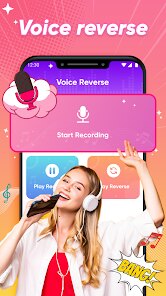
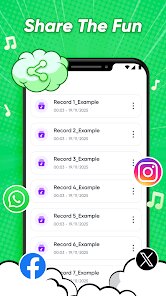
The core function is straightforward: users record or select an audio file, then apply a reverse effect with a single tap. The app processes the audio in real time, allowing users to listen to the reversed version immediately. I found the interface clean and minimal, with large buttons and simple icons that make navigation intuitive. The reversed audio often produces unexpected comedic results, especially with vocal tracks where words become garbled or melodic lines take on a bizarre quality. There is also a basic sharing option to save clips or send them to social platforms.
Compared to more comprehensive audio editors like Audio Evolution Mobile or FL Studio Mobile, this app is significantly more limited in scope. Those tools offer multi-track editing, effects chains, and precision controls, while Funny Reverse Audio focuses exclusively on reversal. However, its simplicity is an advantage for users who want instant results without learning curves. I noticed that the app lacks pitch correction or speed adjustment, which similar reversal tools like Reverse Audio sometimes include. This narrow focus makes it ideal for casual fun but less useful for creative sound design.
Key Functional Highlights
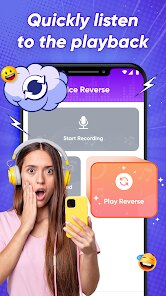
- The one-tap reverse function works reliably, processing audio in under two seconds on my device. The immediate playback lets you hear the result without delays, which adds to the spontaneous fun. Unlike Vocal Reversal Pro, which requires multiple steps, this app keeps the workflow linear and distraction-free.
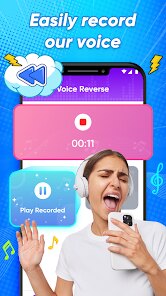
- Recording quality is decent for a casual tool, capturing audio at a standard bitrate. The app does not compress files excessively, so reversed clips retain reasonable clarity. I noticed slight background noise in quiet environments, but it does not ruin the comedic effect.
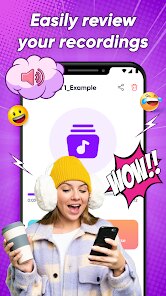
- Sharing options include saving to the device or sending via messaging apps. The export format is MP3, which balances quality and file size. Missing is direct integration with social platforms like TikTok or Instagram, which would streamline posting.
- The visual design uses a retro theme with neon colors and pixelated icons, matching the playful tone. However, the interface can feel cluttered on smaller screens, with buttons overlapping during extended use.
Advantages & Benefits
- Creating personalized jokes is easy; I reversed a friend's birthday message and got a hilarious garbled sound that made everyone laugh. It works best with short clips under 30 seconds.
- The app helps break the ice at gatherings. Playing reversed versions of popular songs often leads to guessing games about the original lyrics.
- It serves as a quick stress reliever. Hearing normal speech turned into strange noises provides a lighthearted distraction during breaks.
- No registration or account setup is needed, so you can start using it immediately after installation.
Areas for Improvement
- The free version displays frequent full-screen ads, which interrupt the flow when you are testing multiple reversals. Upgrading to remove ads costs a few dollars.
- Audio length is capped at one minute in the free version. Longer recordings require in-app purchase, which feels restrictive for a basic function.
- Reversing music with complex instrumentation sometimes produces muddy results. The algorithm struggles with dense audio layers, unlike more advanced tools that preserve clarity.
- There is no undo button. If you accidentally reverse a clip, you must re-import the original file, which is inconvenient for longer recordings.
Recommended Apps
![]()
ZEPETO: Avatar, Connect & Play
Naver Z Corporation4.3
![]()
Reverse Voice: Flip Singing
NindaFuit0![]()
AI Chat Ask Assistant - NowAI
Now Tech4.3![]()
Lie Detector Test: Prank App
DkTech inc.4.3![]()
Peachy - AI Face & Body Editor
InShot Video Editor4.8
![]()
AI Video Art Creator - Livensa
FERASET4.5![]()
Google Voice
Google LLC4.3![]()
Horoscopes & Tarot
Astrolis Horoscopes4.7![]()
eBay online shopping & selling
eBay Mobile4.6![]()
JPay
Jpay Mobile4.1![]()
Stranger Things 5 Challenges
MVH Entertainment Team5![]()
Chat Master: Prank Story
ABI Game Studio4.8![]()
Google Maps
Google LLC4.2![]()
AI Chat・Ask Chatbot Assistant
AI Chat Studio4.5![]()
Name Meanings with Impact
Alif Innovative Solution3.7















You May Like
-
![]()
True Tarot Card Reading
KaApps4.2 -
![]()
LinkedIn: Jobs & Business News
LinkedIn4.2 -
![]()
iControl: Easy Widgets Themes
Fancy keyboard for theme apps4.6 -
![]()
Duolingo: Language & Chess
Duolingo4.7 -
![]()
Flipped:Chat with AI Character
First Group pte ltd4.1 -
![]()
Hearing Age
Mobile Solutions Tech0 -
![]()
TikTok
TikTok Pte. Ltd.4.4 -
![]()
Pretty Makeup - Beauty Camera
Photo Editor Perfect Corp.4.4 -
![]()
PhotoRoom AI Photo Editor
PhotoRoom Background Editor App4.7 -
![]()
Lightleap by Lightricks
Lightricks Ltd.4.3 -
![]()
Name Meaning
Dexati4.1 -
![]()
Truth Social
T Media Tech LLC3.3 -
![]()
Ace Hardware
Ace Hardware Corporation4.7 -
![]()
Kpop Fans Demon Hunter Wallpap
JHNStudio4.3 -
![]()
Artplay - AI Photo & Video
Hideaway Technology Limited4.5










































